
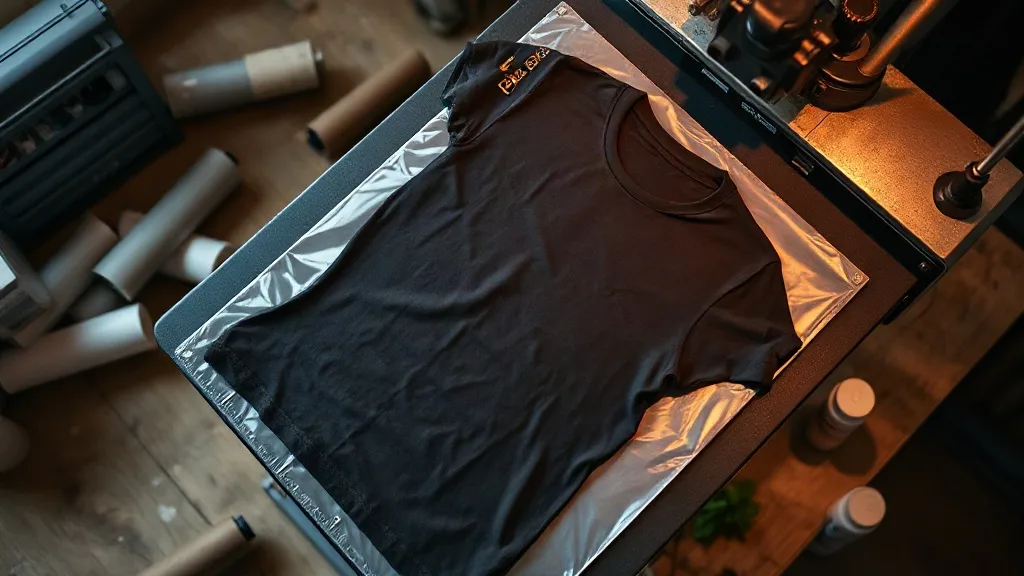
Most print shops hit a wall the first time a customer walks in with a twelve-color photograph for a single hoodie. Screen printing that job means burning twelve screens, charging a setup fee the customer will balk at, and running a minimum that makes a one-off order pointless. That is exactly the gap where dtf transfers earn their place. A DTF printer lays down every color in one pass, so a gradient-heavy design costs the same to produce as a two-color logo. No screens, no color separations, no minimums that push small orders out the door.
This guide is about treating that advantage as a business tool rather than a novelty. We will walk through what multi-color DTF work actually demands on press day, where it beats screen printing and where it does not, and the specific habits that keep full-color prints sharp through dozens of washes.
Why Multi-Color DTF Changes the Job Math
With screen printing, cost scales with color count. Each screen adds film, emulsion, exposure time, and a registration step that has to be dialed in perfectly. A five-color job is not just five times the ink; it is five times the setup, and if one screen is off, the whole run is off. DTF collapses that math. The printer reads a full-color file and deposits white, cyan, magenta, yellow, and black in a single sequence, then the powder cures the whole image at once. Whether your design has three colors or three hundred, the production steps are identical.
That changes what jobs are worth taking. A customer ordering one custom tee with a detailed, full-color illustration used to be a loss leader. On a DTF setup it becomes a straightforward order you can price profitably at small volume. The same applies to team jerseys with sponsor logos in clashing colors, event shirts with photographic backgrounds, and promotional pieces where the client wants gradients that a spot-color screen job simply cannot reproduce cleanly.
Where DTF Wins Clearly
- Photographic or gradient-heavy artwork where spot colors would band
- Runs under a few dozen pieces, where screen setup costs dominate
- Designs with many colors that would require five or more screens
- Personalization jobs where every garment carries a different name or number
- Dark garments that need an opaque white underbase without extra passes
Where Screen Printing Still Holds
Be honest about the trade-off. On long runs of a simple one- or two-color design, screen printing still wins on per-piece cost and has a distinct hand feel that some buyers prefer. Very large orders where the same design repeats hundreds of times will usually be cheaper through screens once setup is amortized. The smart shop keeps both options and routes each job to the method that fits its volume and color profile.
Preparing Full-Color Artwork That Prints Clean
DTF handles color beautifully, but it does not rescue a weak file. The most common quality complaints trace back to artwork decisions made before the printer ever runs. A few habits prevent most of them.
Resolution and Transparency
Supply files at 300 DPI at final print size. A design built at 72 DPI and scaled up will look soft no matter how good the printer is. Keep the background transparent so the white ink layer only sits where the design needs it; a solid background rectangle wastes ink and creates a stiff, heavy patch on the garment.
Watch the Fine Detail
Hairline strokes, tiny text below roughly 6 points, and delicate filigree can break down during powder application. If a client insists on very fine type, bump it up slightly or switch to a cleaner font. Test any design with fine detail on a scrap garment before committing a full run.
Color Profiles and Screen Versus Print
What glows on a monitor will look different in pigment on fabric. Deep, saturated blues and bright neons are the usual surprises. If color accuracy matters, run a small proof and show the customer the physical print rather than approving from a screen.
The Press Day Routine for Full-Color Prints
The steps are the same as any DTF job, but full-color images punish sloppy technique more visibly because there is more image area to go wrong. Work through this sequence on every run.
- Pre-press the garment. Five to ten seconds of pressing drives out moisture and wrinkles. A damp shirt traps steam under the film and produces bubbles and poor adhesion.
- Set temperature and pressure. Most films run in the 285 to 320 degrees Fahrenheit range depending on the manufacturer; follow the film spec, not a number from a forum. Medium, even pressure across the platen.
- Position and tack. Place the transfer with the ink side down, cover with a protective sheet, and press for the recommended time, typically 10 to 15 seconds.
- Peel at the right temperature. Cold peel and hot peel films behave differently. Peeling a cold-peel film too early tears the image; peeling a hot-peel film too late can lift edges. Know which film you are using.
- Second press. A short follow-up press through a protective sheet or parchment locks the print in and improves wash durability, especially on textured fabrics.
Choosing Garments That Accept Full-Color Prints
Fabric weave matters more with dense, multi-color images than with simple one-color logos, because more ink sits on the surface. Tight, smooth weaves like ring-spun cotton and cotton-poly blends hold detail best. Coarse, heavily textured fabrics can let the weave pattern show through the print, and high-nylon or coated fabrics may resist adhesion entirely. When a customer brings their own garment, press a small test patch first. It takes a minute and saves a ruined order.
Wash Durability: What Actually Keeps Prints Alive
Adhesion problems are almost never the printer's fault. They come from moisture in the fabric, insufficient pressure, peeling at the wrong temperature, or skipping the second press. Get those four right and a well-made full-color print will survive normal washing for the life of the garment. Advise customers to wash inside out in cold water and avoid direct ironing on the print. That guidance is not just courtesy; it reduces returns.
Finding Reliable Supply and Local Service
If you are sourcing ready-made prints rather than producing in-house, consistency of film quality and powder application matters as much as price. Shops searching for dtf transfers near me should look for suppliers who can show wash-test results, hold consistent color across reorders, and turn around small custom runs without punishing minimums. Ask for a sample before committing to a bulk order; a single test print on your own garment tells you more than any spec sheet.
Frequently Asked Questions
Can DTF transfers handle photographic images and gradients?
Yes. That is one of the format's core strengths. Because the printer deposits all colors in one pass, gradients, skin tones, and photographic detail reproduce smoothly without the banding you get from limited spot colors in screen printing.
Do multi-color DTF prints cost more than single-color ones?
In most cases, no. The production steps are the same regardless of color count, so a full-color design usually costs the same to produce as a simple logo of the same size. Ink consumption varies slightly, but color count itself does not drive the price the way screens do.
How do I stop fine text from breaking up on a DTF print?
Keep type at roughly 6 points or larger at final print size, use clean sans-serif fonts for very small text, and supply 300 DPI artwork. If a design still breaks down, test it on a scrap garment before running the full order.
What temperature should I press full-color DTF transfers at?
Follow the film manufacturer's specification, which typically falls between 285 and 320 degrees Fahrenheit. Always confirm whether your film is hot peel or cold peel, since peeling at the wrong temperature is one of the most common causes of damaged prints.
Will a DTF print crack or fade after washing?
A properly pressed DTF print on a suitable fabric will hold up through normal washing. Cracking and fading usually trace back to moisture in the garment before pressing, too little pressure, or skipping the second press. Wash inside out in cold water to extend print life further.