
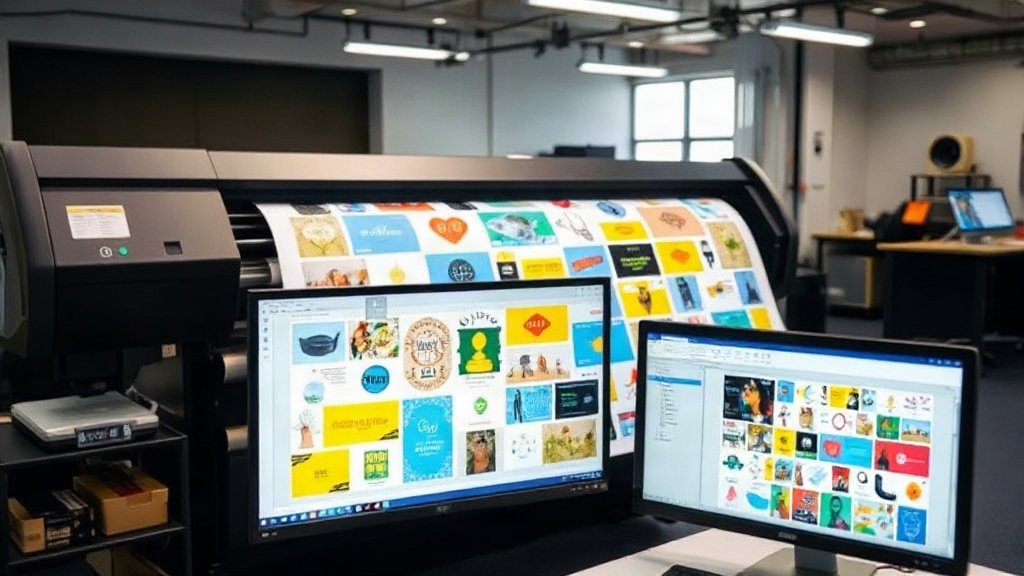
If you're in the custom apparel business, you've likely heard about DTF printing. It's a game-changer for producing vibrant, durable transfers on demand. But as your order volume grows, manually arranging designs on a film can become a bottleneck. That's where a DTF gangsheet builder comes in. This tool helps you pack multiple designs onto a single sheet efficiently, saving time, money, and materials.
What Is a DTF Gangsheet Builder?
A DTF gangsheet builder is software that lets you arrange multiple DTF designs onto a large film sheet (often 22" x 60" or similar). Instead of printing each design separately, you nest them together to maximize the use of the film. The builder automatically optimizes the layout, minimizing wasted space. Think of it as a digital puzzle solver for your transfers.
Why "Gangsheet"?
The term "gangsheet" comes from the idea of ganging up multiple jobs on one sheet. It's a common practice in screen printing and now in DTF printing. By grouping designs, you reduce the number of sheets you print, which cuts down on film costs and printer time.
Key Benefits of Using a DTF Gangsheet Builder
- Cost Savings: Film and ink are expensive. Nesting designs tightly means you use less of both. For example, if you can fit 20 designs on one sheet instead of 10, you halve your material costs.
- Time Efficiency: Manually arranging designs in a graphics program can take 15-30 minutes per sheet. A builder does it in seconds.
- Consistency: Automated nesting ensures uniform spacing, reducing the risk of cutting errors.
- Scalability: As your business grows, you can handle larger volumes without hiring more staff.
How to Choose the Right DTF Gangsheet Builder
Not all builders are created equal. Here's what to look for:
1. Ease of Use
You want a tool that's intuitive. If it takes hours to learn, it's not saving you time. Look for drag-and-drop interfaces and clear controls.
2. Nesting Algorithms
Advanced algorithms can rotate and rearrange designs for optimal fit. Some builders even allow you to set spacing preferences.
3. Compatibility
Ensure the builder works with your printer's RIP software and supports common file formats like PNG, PDF, and TIFF.
4. Pricing Model
Some builders are subscription-based, others are one-time purchases. Calculate the ROI based on your monthly film usage.
Step-by-Step: Using a DTF Gangsheet Builder
- Upload Your Designs: Import all the images you need to print. Make sure they have transparent backgrounds.
- Set Sheet Size: Input your film dimensions and any margins.
- Adjust Spacing: Set the gap between designs (usually 0.25-0.5 inches).
- Let the Builder Nest: Click the auto-arrange button. The software will position designs for maximum efficiency.
- Review and Export: Check the layout, make manual tweaks if needed, then export to your printer.
Best Practices for Gangsheet Printing
To get the most out of your DTF gangsheet builder, follow these tips:
- Group Similar Sizes: If you have many small designs, group them together. Larger designs can go on a separate sheet.
- Use Quality Files: Low-resolution images may not nest well and can result in poor print quality.
- Consider Grain Direction: Some films have a grain; align designs accordingly for consistent feel.
- Test Different Layouts: Don't always rely on auto-nesting. Sometimes manual adjustments yield better results.
Common Mistakes to Avoid
Even with a builder, you might run into issues. Here are pitfalls to watch for:
- Overcrowding: Packing designs too tightly can cause cutting problems. Leave enough space.
- Ignoring DPI: Ensure all designs are at least 300 DPI for crisp prints.
- Forgetting to Mirror: DTF transfers are typically printed mirrored. Most builders handle this, but double-check.
- Not Updating Software: New updates often improve nesting algorithms.
Integrating a DTF Gangsheet Builder into Your Workflow
To seamlessly add a builder to your process, start by training your team. Have one person become the "gangsheet expert" who can troubleshoot. Then, set up a standard operating procedure: for each order, collect all designs, run them through the builder, and print. Track your film usage before and after to measure savings.
For example, a small shop printing 100 transfers per week might use 10 sheets manually. With a builder, they could fit those on 6 sheets, saving 40% on film and ink. Over a year, that's thousands of dollars.
Future of DTF Gangsheet Builders
As DTF printing grows, so will the tools. We're seeing AI-powered builders that learn your preferences and optimize for specific fabrics. Integration with order management systems is also on the rise, allowing for fully automated workflows from order to print.
Investing in a good DTF gangsheet builder now positions your business for future growth. It's not just about saving money today; it's about building a scalable operation.
Frequently Asked Questions
What is a DTF gangsheet builder?
A DTF gangsheet builder is software that arranges multiple DTF designs onto a single film sheet to maximize efficiency and reduce waste.
Can I use a gangsheet builder with any DTF printer?
Most builders are compatible with major DTF printers, but check that the exported file format matches your printer's RIP software requirements.
How much can I save by using a gangsheet builder?
Savings vary, but many users report 30-50% reduction in film and ink costs due to better nesting.
Is it hard to learn how to use a gangsheet builder?
Not at all. Most builders have intuitive interfaces and tutorials. You can be up and running in under an hour.
Do I need a gangsheet builder if I only print a few designs?
If you print more than a handful of designs regularly, a builder can still save you time and money. For very low volumes, manual arrangement might suffice.